



Web automation has traditionally relied on deterministic scripts: fixed selectors, predefined steps, and brittle workflows that break whenever a UI changes. Tools like Selenium and Playwright have powered this approach for years and still dominate many automation stacks.
However, modern automation requirements are changing.
Applications are more dynamic. Interfaces change frequently. Workflows are less predictable. Automation increasingly needs to reason, adapt, and operate across unfamiliar websites and tools.
This shift has led to AI browser automation — an approach where AI systems interact with browsers using perception, reasoning, and decision-making rather than static scripts.
Instead of encoding how to perform each step, AI browser automation focuses on what outcome should be achieved and lets an intelligent system figure out the steps dynamically.
What Is AI Browser Automation?
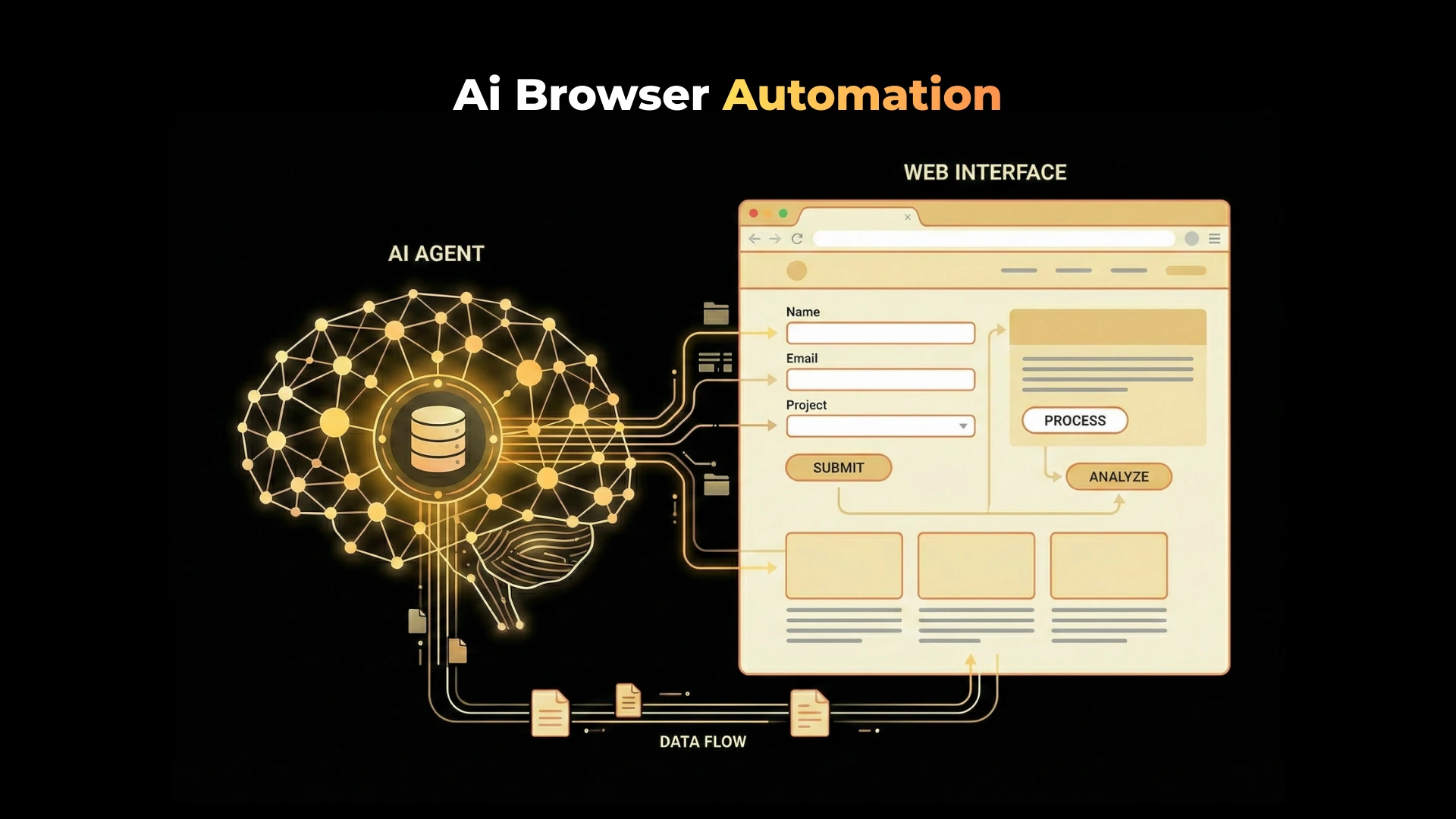
AI browser automation is the use of artificial intelligence to control and interact with web browsers in a goal-oriented, adaptive manner.
Rather than executing fixed commands like:
- “Click element with ID #submit”
- “Wait 3 seconds”
- “Type into input field X”
AI browser automation systems:
- Observe the page visually or structurally
- Understand UI elements in context
- Decide what action to take next
- Adapt when the page changes
- Recover from unexpected states
At its core, AI browser automation treats the browser as an environment rather than a static DOM tree.
Traditional Browser Automation vs AI Browser Automation
Traditional browser automation tools (Selenium, Playwright, Puppeteer) are rule-based systems. They require explicit instructions for every interaction.
AI browser automation systems are goal-driven systems. They operate under high-level objectives and infer the necessary steps.
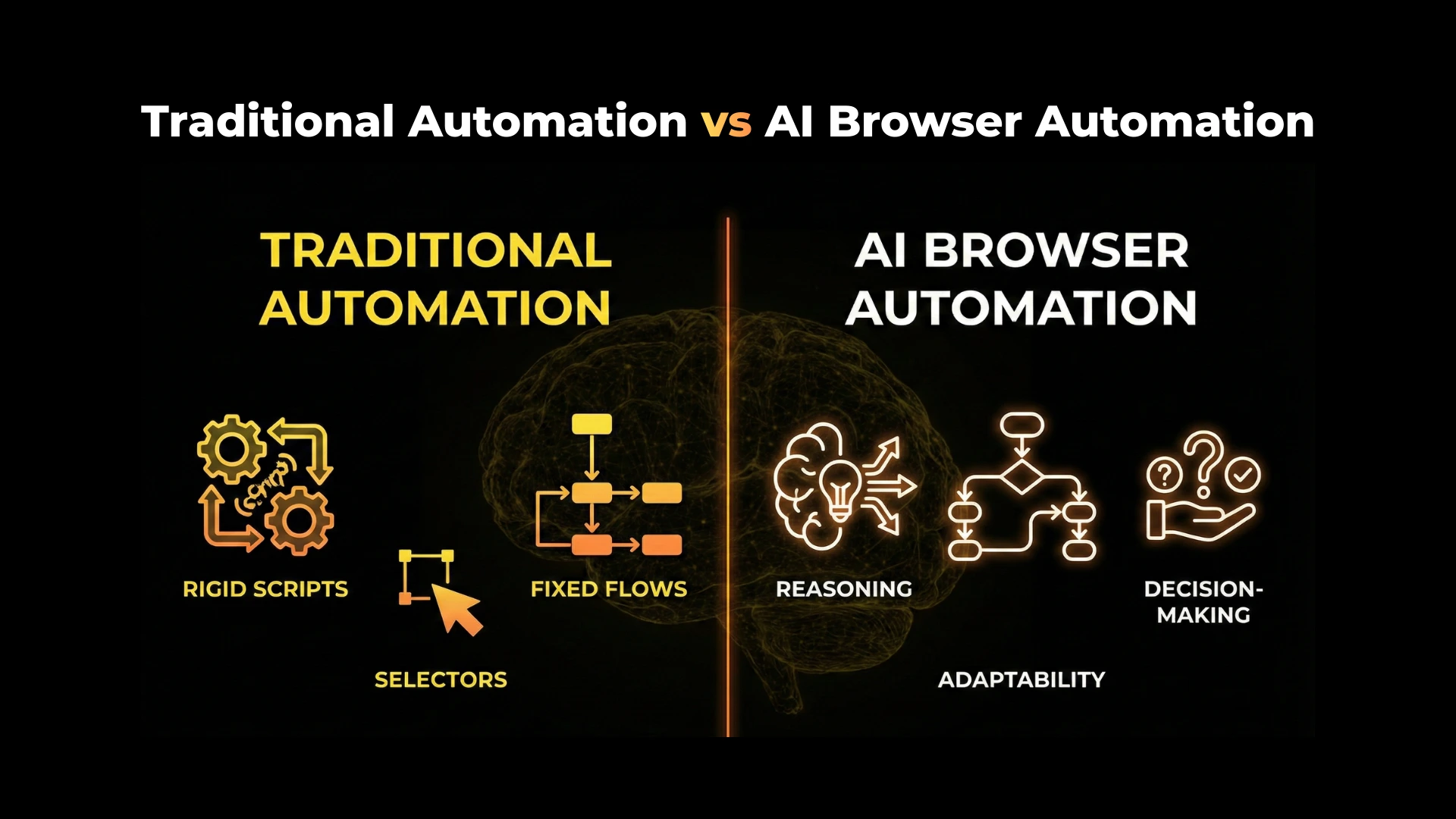
Key Differences
| Aspect | Traditional Automation | AI Browser Automation |
|---|---|---|
| Control style | Scripted, deterministic | Goal-oriented, adaptive |
| UI handling | Fragile selectors | Semantic understanding |
| Error recovery | Manual | Autonomous |
| Environment changes | Break scripts | Adapt dynamically |
| Reasoning | None | Built-in reasoning |
| Scalability | High maintenance | Lower long-term maintenance |
Traditional automation excels in stable, controlled environments.
AI browser automation excels in dynamic, open-ended web environments.
Why AI Browser Automation Is Emerging Now
Several technical breakthroughs have converged to make AI browser automation viable:
1. Multimodal Large Language Models
Modern LLMs can process text, images, and structured data together. This enables systems to:
- Understand visual UI layouts
- Read labels, buttons, and error messages
- Reason about page intent rather than raw HTML
2. Improved UI Grounding
Advances in DOM-grounding, accessibility tree parsing, and visual tagging allow AI systems to map pixels and layout elements to actionable components.
3. Agent Architectures
Agent frameworks allow AI systems to:
- Plan multi-step workflows
- Track state
- Reflect on failures
- Retry with alternate strategies
4. Compute and Cost Improvements
Inference is now fast and affordable enough to support real-time decision-making during browser interaction.
How AI Browser Automation Works
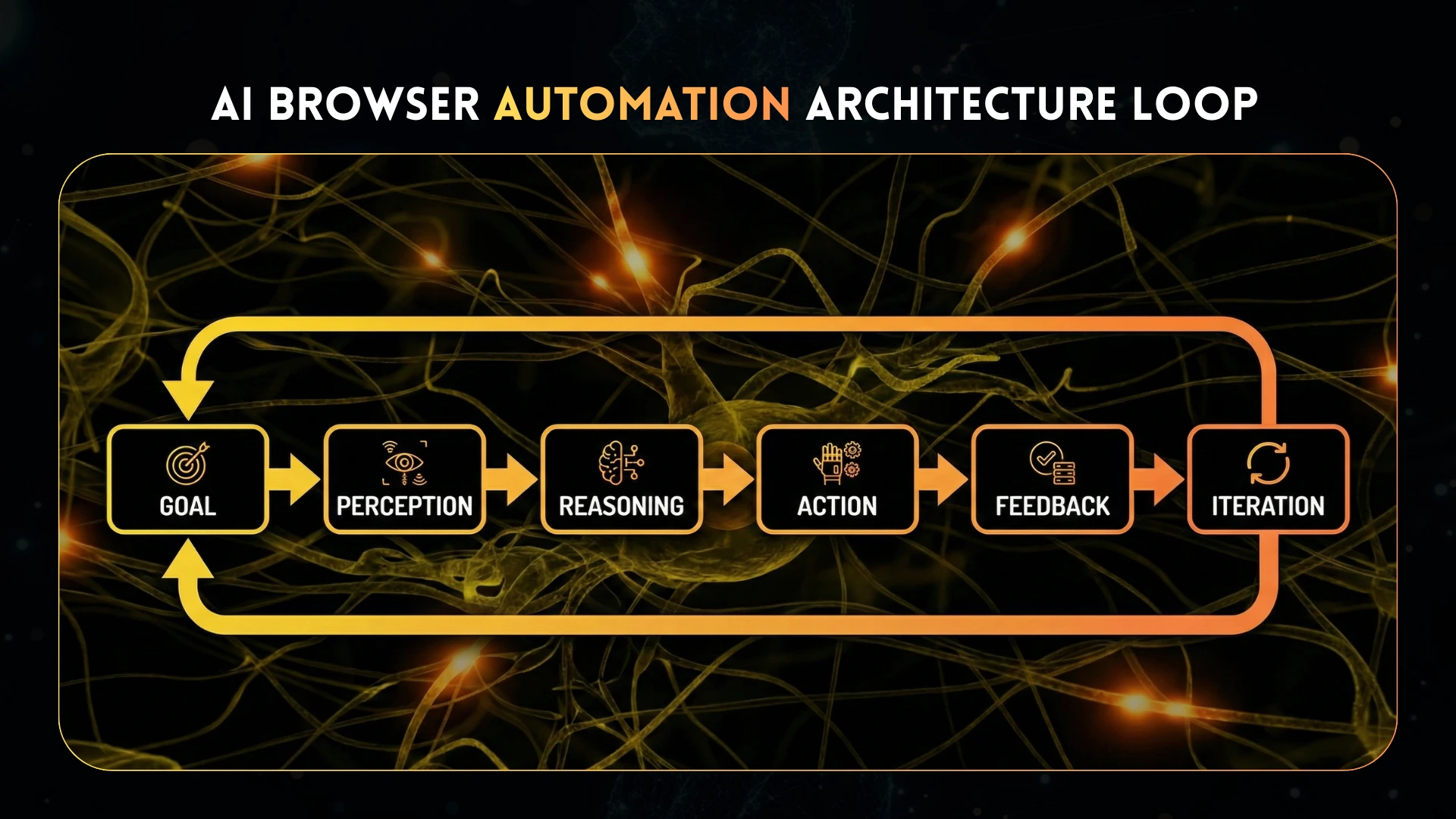
An AI browser automation system typically follows a loop:
- Goal Definition
- “Log into the dashboard and export the report”
- “Find the cheapest flight and book it”
- “Log into the dashboard and export the report”
- Perception
- Read DOM structure
- Analyze screenshots or accessibility trees
- Extract visible text and UI affordances
- Read DOM structure
- Reasoning
- Decide what action moves closer to the goal
- Choose between clicking, typing, scrolling, navigating
- Decide what action moves closer to the goal
- Action
- Execute browser commands
- Interact with UI elements
- Execute browser commands
- Feedback
- Observe page changes
- Detect success or failure
- Observe page changes
- Iteration
- Adjust plan and continue until goal completion
- Adjust plan and continue until goal completion
This loop repeats until the task succeeds or fails definitively.
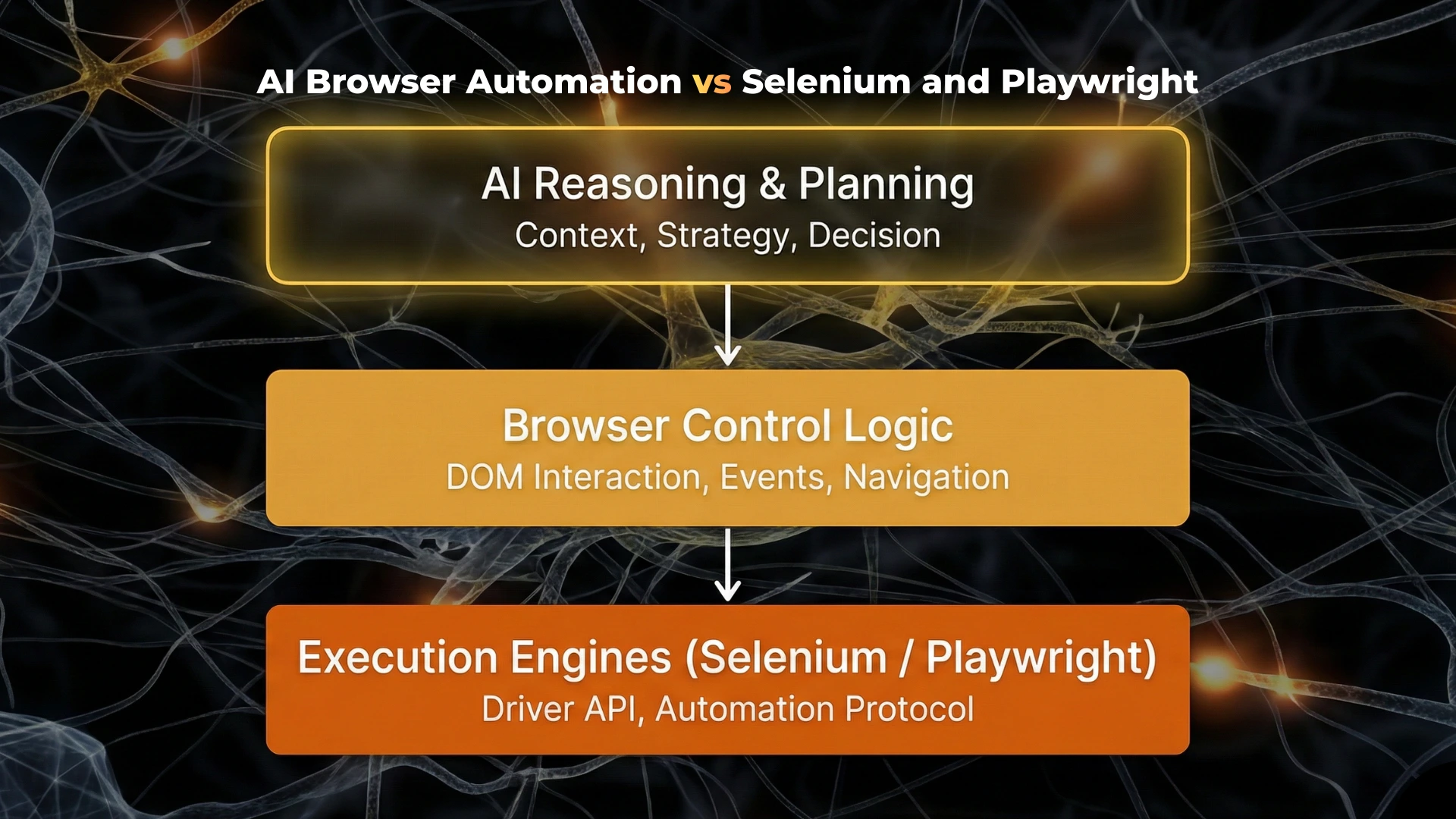
AI Browser Automation vs Selenium and Playwright
Selenium and Playwright are still essential tools. AI browser automation does not “replace” them so much as builds on top of them.
Where Selenium and Playwright Excel
- Regression testing
- Stable workflows
- High-speed execution
- Deterministic CI pipelines
Where AI Browser Automation Excels
- Unstructured websites
- Frequently changing UIs
- Unknown layouts
- Human-like browsing tasks
- Long-running workflows
In practice, many AI browser systems use Playwright or Selenium as execution layers, while AI handles planning and decision-making.
AI Browser Automation vs Traditional Automation
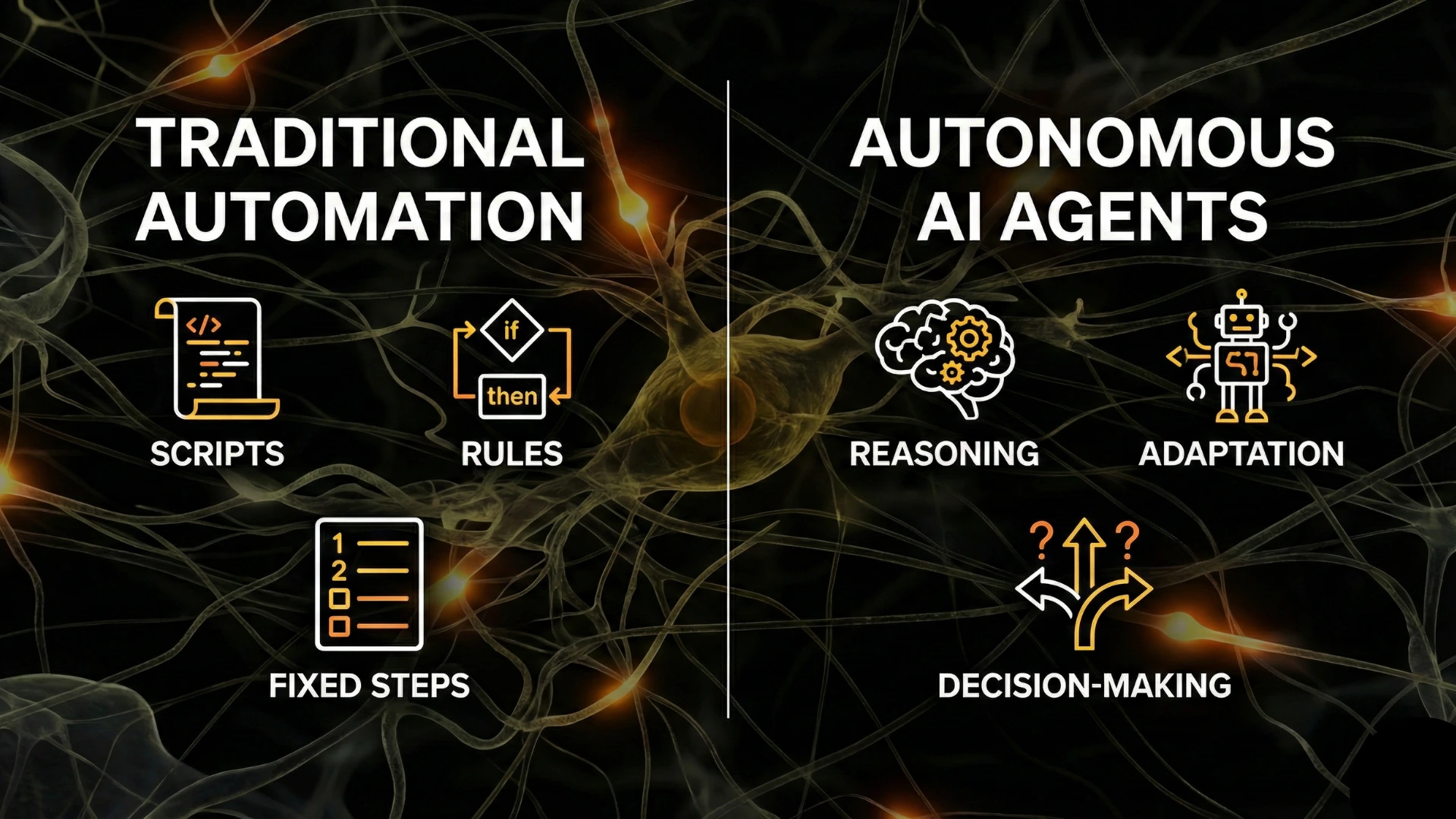
Traditional automation answers:
“How do I click this exact button every time?”
AI browser automation answers:
“What is the button that completes this task right now?”
This shift mirrors the broader transition from:
- Rules → reasoning
- Scripts → agents
- Determinism → adaptability
Core Capabilities of AI Browser Automation Systems
1. UI Understanding
AI systems interpret pages using:
- Visible text
- Layout structure
- Accessibility attributes
- Visual cues
This allows them to locate elements even when IDs, classes, or DOM structure change.
2. Dynamic Planning
AI systems plan steps dynamically:
- Adjust flow based on page state
- Branch when unexpected screens appear
- Handle modal dialogs and popups
3. Error Recovery
When something fails:
- The agent detects the failure
- Tries alternate strategies
- Retraces steps if necessary
Traditional scripts simply fail.
4. Long-Horizon Execution
AI browser automation can operate across:
- Multiple pages
- Multiple websites
- Extended sessions
This enables real workflows rather than isolated actions.
Real-World Use Cases for AI Browser Automation
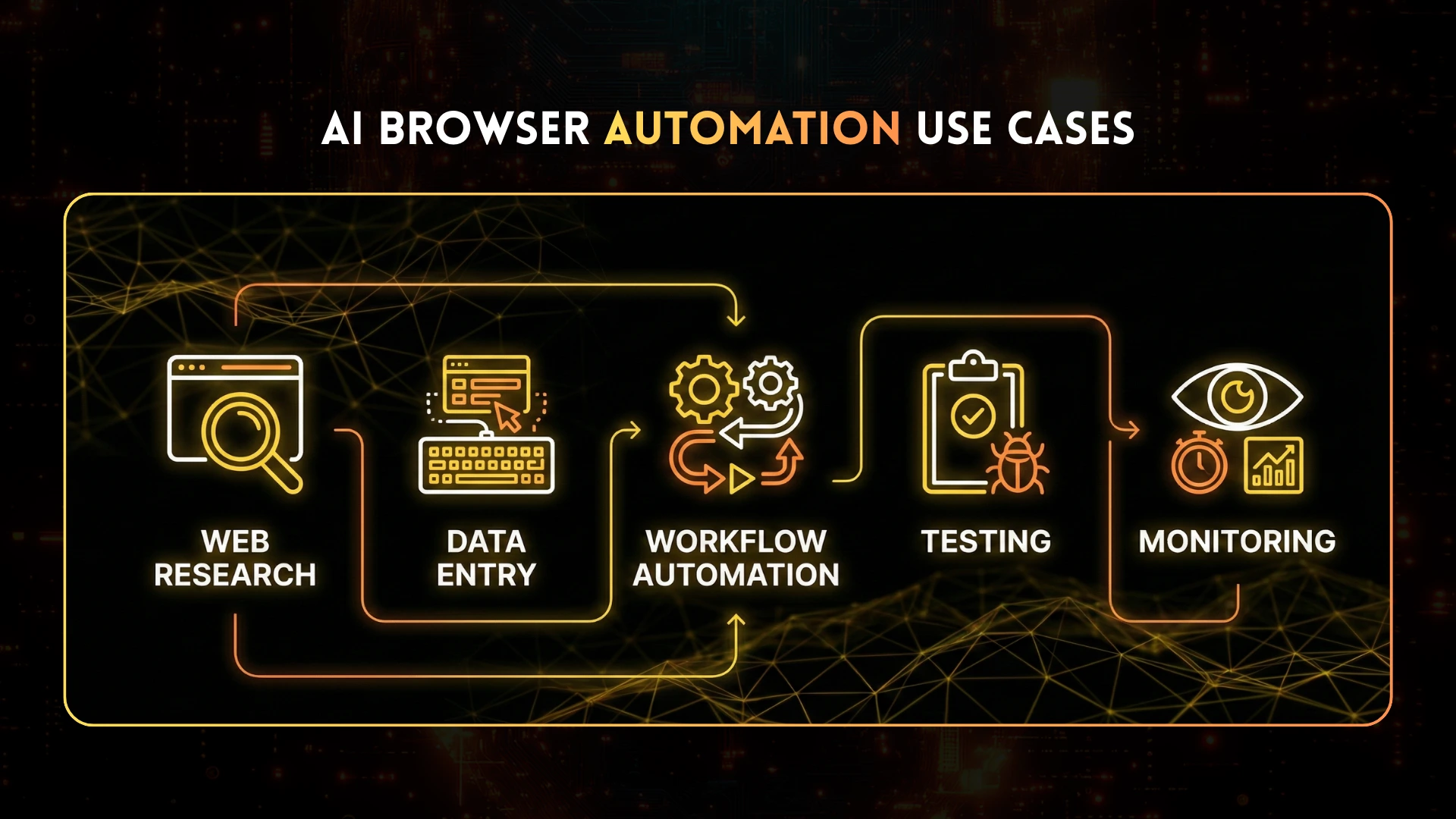
Automated Web Research
AI agents browse:
- Documentation
- Blogs
- Dashboards
- Forums
They extract, summarize, and cross-validate information dynamically.
Data Entry and Back-Office Automation
Instead of brittle RPA scripts, AI agents:
- Navigate internal tools
- Fill forms
- Validate results
- Handle UI changes without reprogramming
End-to-End Task Automation
Examples:
- Booking travel
- Managing vendor portals
- Updating CRM systems
- Monitoring dashboards
Testing in Unstable Environments
AI agents test flows where:
- UI changes frequently
- A/B testing alters layouts
Feature flags affect rendering
AI Browser Automation and Autonomous Agents
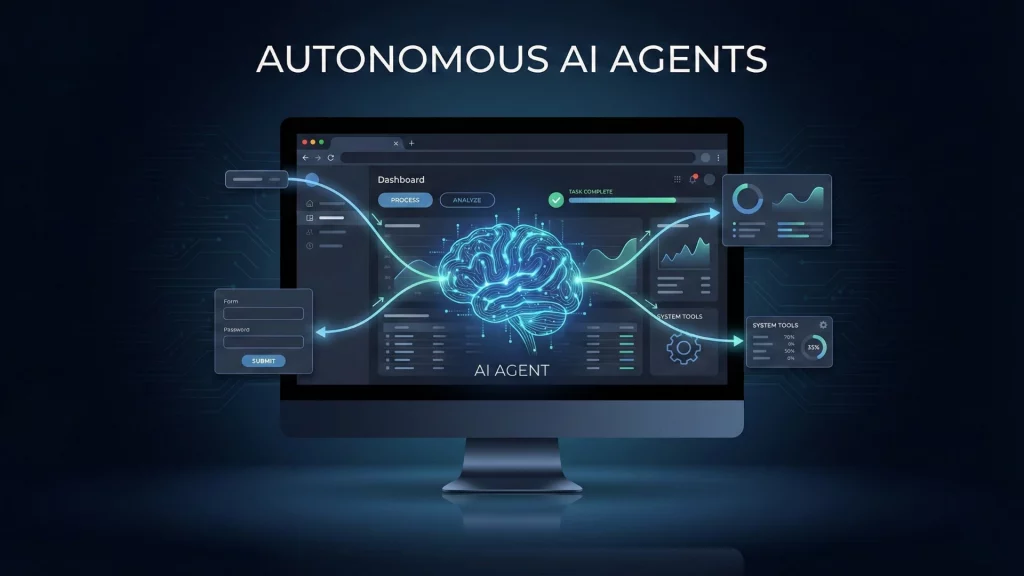
AI browser automation is often one capability within autonomous AI agents.
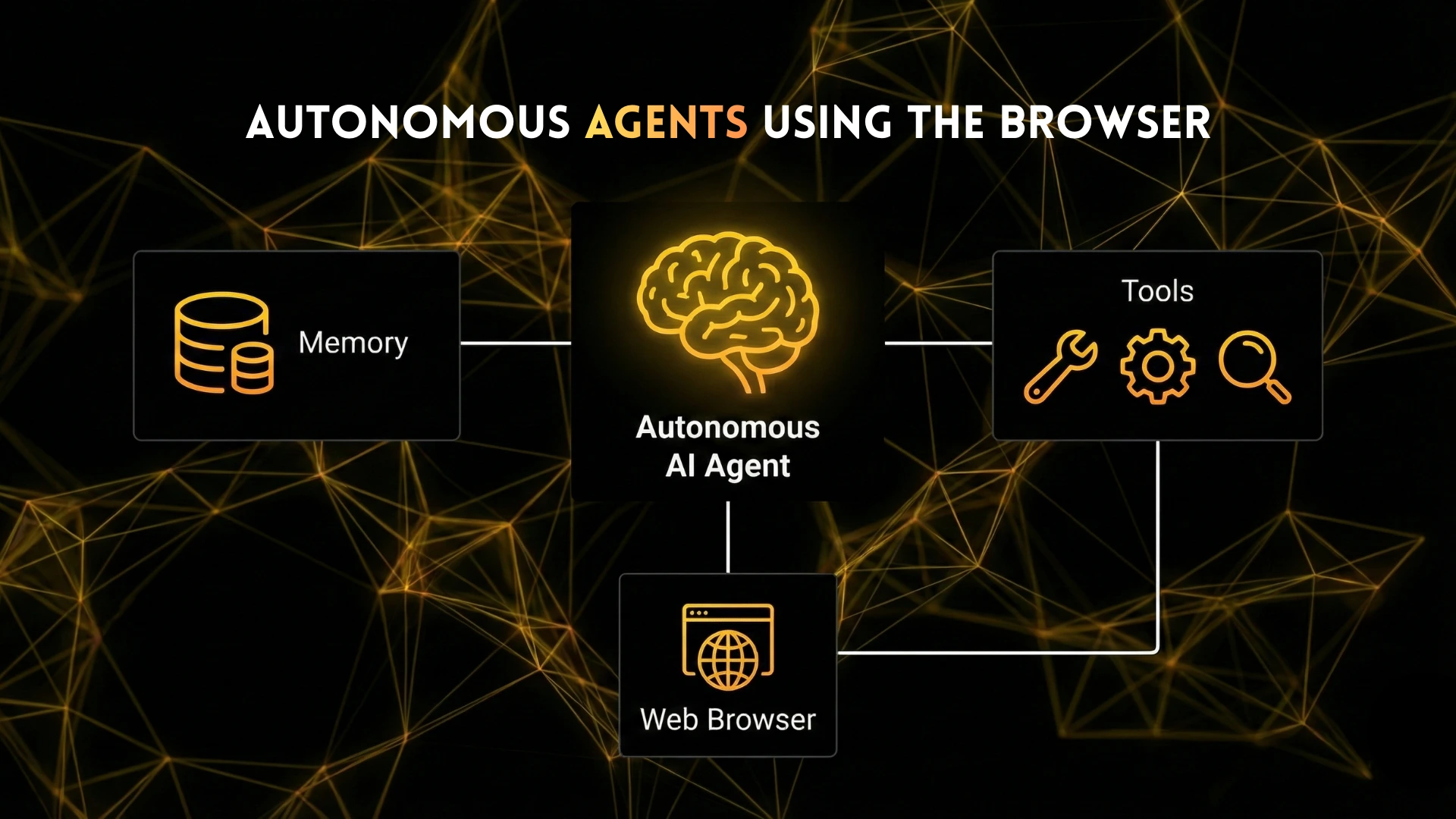
In these systems:
- The agent plans tasks
- The browser is one tool among many
- Memory stores past successes and failures
- Retrieval augments decision-making
The browser becomes an interface to the world, not just a test target.
Benchmarks and Evaluation Environments
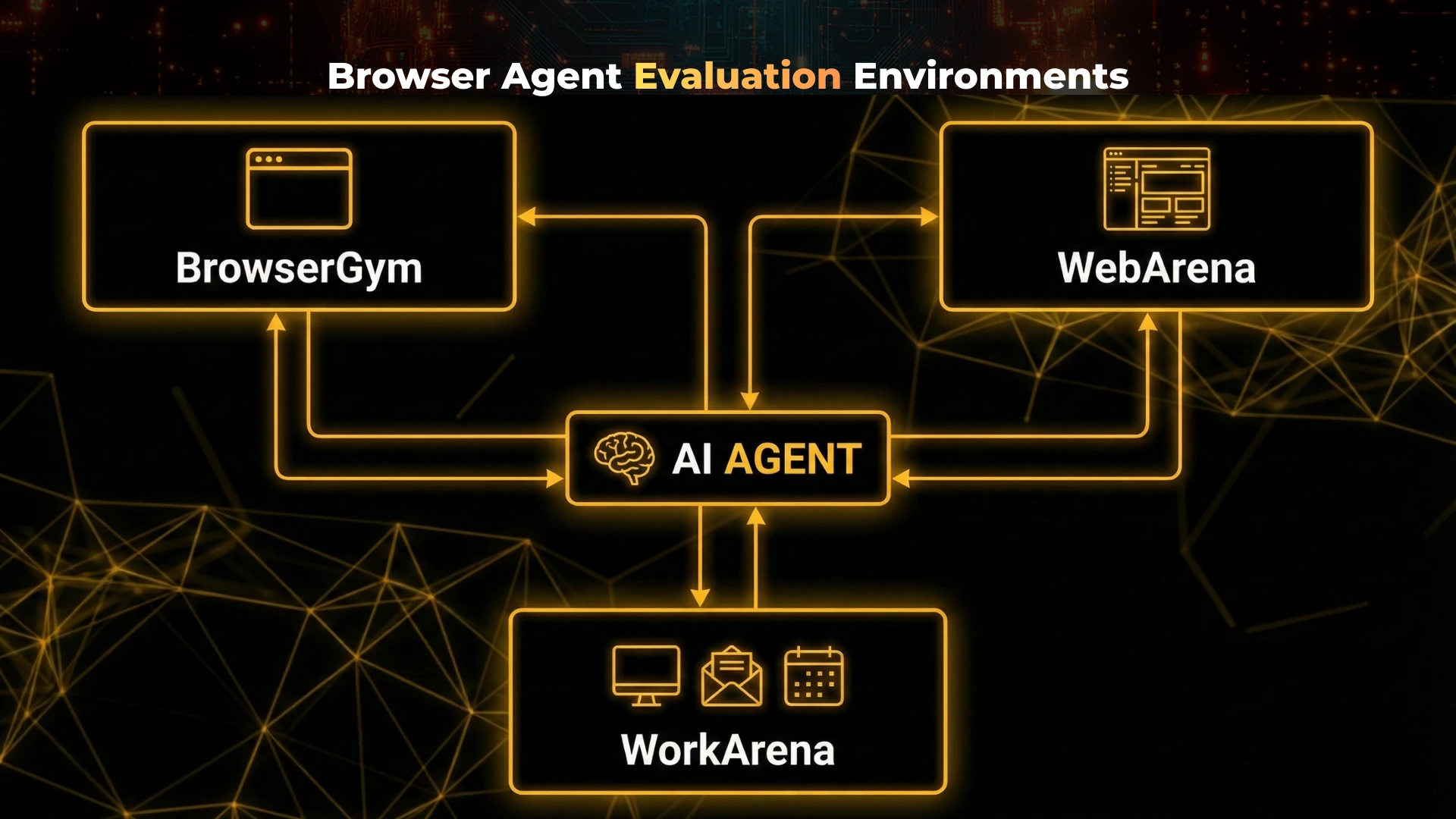
Several research environments are used to evaluate AI browser automation systems:
- BrowserGym – Standardized browser interaction tasks
- WebArena – Realistic, multi-step web tasks
- WorkArena – Enterprise-style workflows and tools
These environments measure:
- Task success rate
- Action efficiency
- Robustness to UI changes
Generalization across websites
When AI Browser Automation Is Not the Right Choice
AI browser automation is powerful, but not universal.
It may not be appropriate when:
- Workflows are fully stable
- Deterministic behavior is required
- Execution speed is critical
- Compliance requires exact reproducibility
In such cases, traditional automation remains the better choice.
The Future of Browser Automation
Browser automation is moving toward a layered model:
- Execution layer: Selenium, Playwright
- Reasoning layer: LLMs and planners
- Perception layer: Vision + DOM grounding
- Memory layer: Retrieval and long-term state
As this stack matures, automation will shift from scripts to adaptive systems that behave more like skilled human operators.
Conclusion
AI browser automation represents a fundamental evolution in how automation interacts with the web.
Rather than encoding brittle instructions, it enables systems to:
- Understand interfaces
- Reason about goals
- Adapt to change
- Execute complex workflows autonomously
Selenium and Playwright remain foundational tools, but AI is transforming how they are used from rigid scripting engines into execution backends for intelligent agents.
Organizations that adopt AI browser automation thoughtfully can reduce maintenance, increase resilience, and unlock automation scenarios that were previously impractical or impossible.
Frequently Asked Questions
AI browser automation is the use of artificial intelligence to control and interact with web browsers in a goal-driven and adaptive way. Instead of relying on fixed scripts or selectors, AI systems observe the page, understand UI elements, reason about next steps, and adjust actions dynamically when the interface changes.
Selenium and Playwright execute predefined scripts and require exact selectors. AI browser automation focuses on outcomes rather than steps. It can adapt to UI changes, recover from errors, and operate across unfamiliar websites using reasoning and perception, often using Selenium or Playwright only as execution layers.
AI agents do not browse exactly like humans, but modern systems can approximate human-like behavior by understanding page structure, reading visible text, recognizing buttons and forms, and deciding actions based on goals. This enables them to complete tasks that are difficult or fragile with traditional automation.
Browser-based AI agents are autonomous or semi-autonomous systems that use a web browser as their primary environment. They navigate websites, interact with forms, extract information, and complete workflows by combining browser control with reasoning, memory, and planning.
Traditional automation follows rigid, rule-based scripts and fails when the UI changes. AI browser automation is adaptive and goal-oriented. It can handle unexpected layouts, recover from errors, and adjust its strategy without manual reprogramming.
Yes, but selectively. AI browser automation is best suited for dynamic, unpredictable environments where traditional automation is costly to maintain. For stable, high-volume, deterministic workflows, traditional automation tools are still more reliable and efficient.
Common use cases include automated web research, data entry across changing portals, end-to-end task execution (booking, reporting, monitoring), exploratory testing, and agent-driven workflows that require reasoning across multiple websites.
These are evaluation environments used in research and development to benchmark AI browser and computer-using agents. They simulate realistic web tasks and measure an agent’s ability to navigate interfaces, complete goals, and generalize across environments.
No. AI browser automation complements traditional tools. Selenium and Playwright remain foundational execution engines, while AI systems add reasoning, perception, and adaptability on top of them.
AI browser automation can be slower, less deterministic, and harder to validate than traditional scripts. It may also struggle in highly constrained compliance environments or where exact reproducibility is required.